
How can contractors use AI from quote to invoice?
- Contractor operations
- Estimating
- Change orders
- Job costing
- Invoice reminders
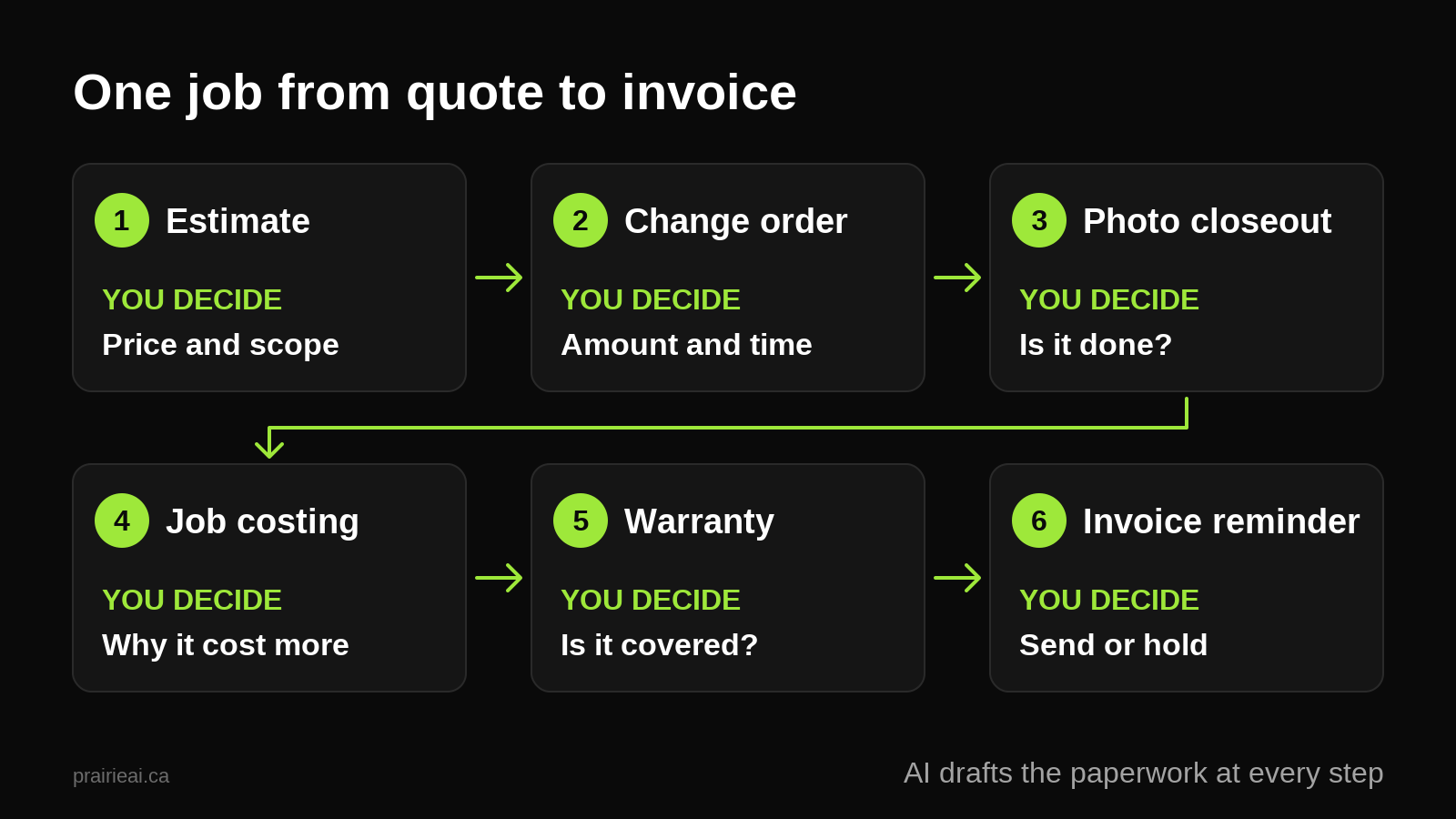
Short answer: AI can do the paperwork between each step of a job, from the estimate to the invoice reminder. A person still decides price, scope, whether the work is done, warranty coverage and what goes to the customer.
Where does AI help on a job?
Most job paperwork is the same few documents scattered across phones, inboxes and folders. AI is good at pulling them together, not at deciding what they mean.
- Estimate: gathers photos, notes and measurements, and lists what's missing so the estimator isn't chasing it later.
- Change order: puts the photo, the original scope and the change side by side for approval, and tracks whether it's draft, sent or approved.
- Closeout: sorts jobsite photos and flags the shot nobody took while the tech is still on site.
- Job costing: lines up what you quoted against what you spent. QuickBooks Canada has an estimate-versus-actual report for this.
- Warranty and invoices: finds the install record, drafts reminders, and holds any that are paid or disputed. A reminder sent after the customer paid costs you more than it collects.
What does that look like on a real job?
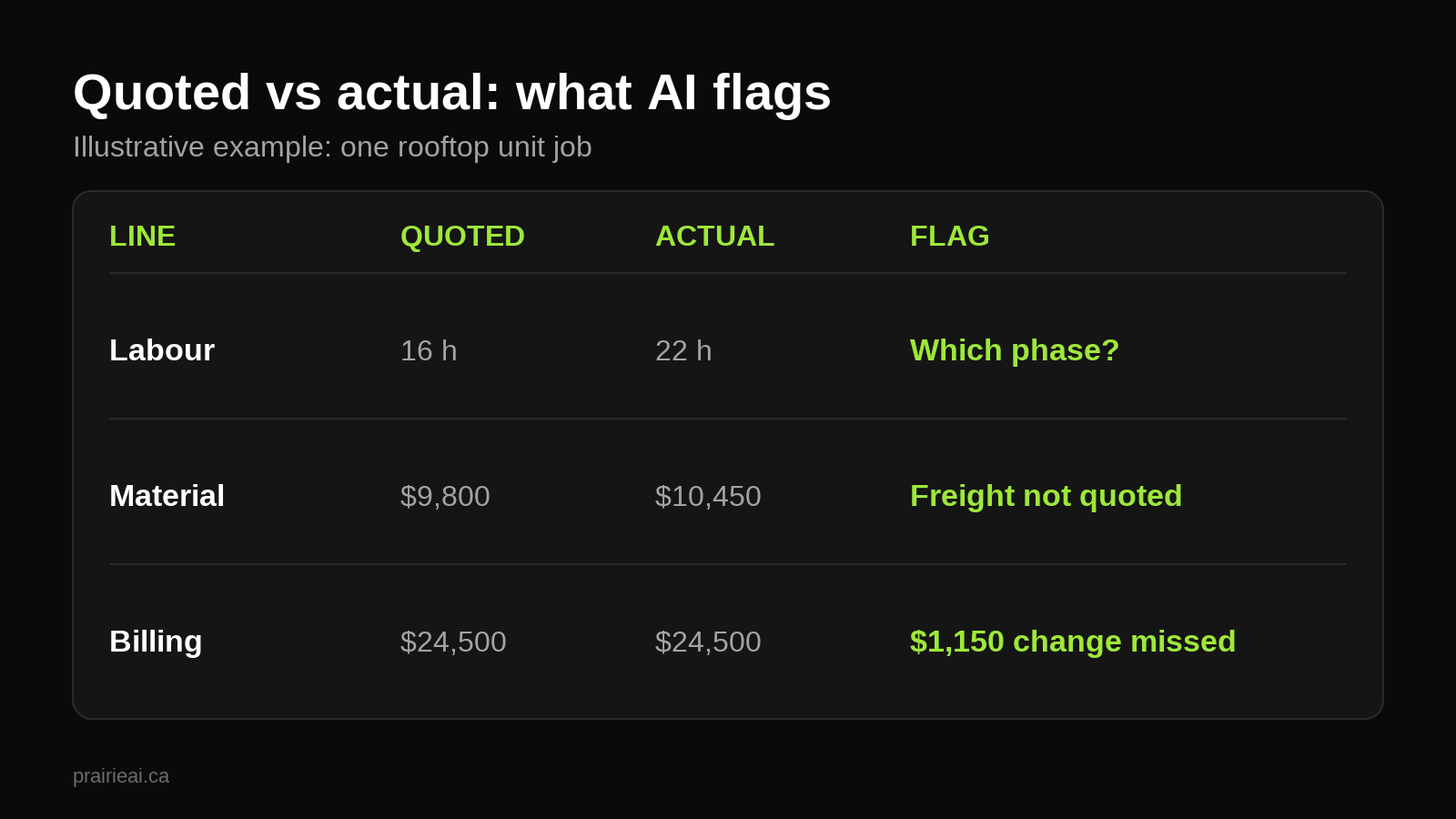
For example: a Regina mechanical contractor quotes a rooftop unit replacement at $24,500. The old curb doesn't fit, so the crew adds an adapter on an approved $1,150 change order. At closeout, AI lines up the numbers: labour ran 22 hours against 16 quoted, freight was never in the quote, and the change order never made it onto the invoice. The owner catches it before billing and adds a freight line to the next quote.
Where must a person check?
At every step. AI drafts and flags; the estimator sets the price, the project lead approves changes, a qualified person signs off the work, and the office decides whether a reminder goes out. Before buying anything, trace one finished job from quote to invoice and see where the paperwork broke. Often it is a missing approval or a file nobody named, which no tool fixes on its own.
If you'd like help tracing that first job, see how we work.