
What is an AI skill, and how do you use one for free?
- Free AI skills
- Claude
- ChatGPT
Short answer: An AI skill is a small add-on file that teaches Claude or ChatGPT to do one job well. Prairie AI has four free skills you can download and add in about two minutes.
What does a skill actually do?
Without a skill, you explain what you want from scratch in every chat. A skill keeps those instructions in one file, so you only type a short phrase, like "Help with my email," and the AI knows the job. You still read what it writes before you use it.
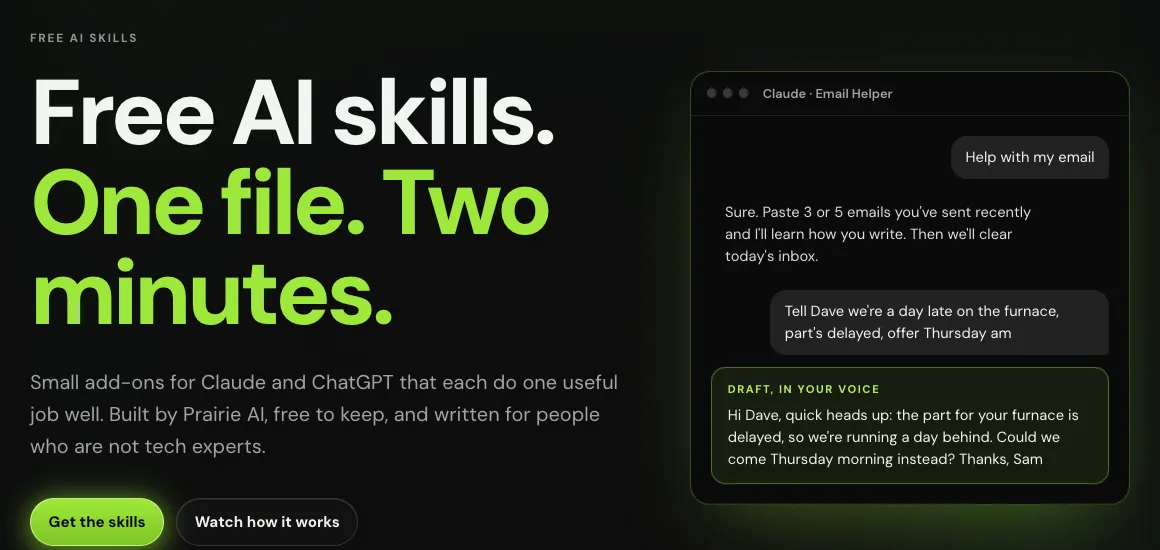
For example: with Email Helper, you paste in a few emails you have sent. It learns how you write. Then you type "Tell Dave we are a day late on the furnace, offer Thursday morning," and it drafts the reply in your voice for you to check and send.
Which free skills can you get?
- AI Basics: six short lessons on how to ask, what to check and what never to paste in. Say "Teach me AI."
- Email Helper: sorts your inbox and drafts replies that sound like you. Say "Help with my email."
- Brand Builder: a short chat about your business, then your colours, fonts, logo and voice on everything Claude makes. Say "Build my brand."
- Secure Me: a plain-English security checkup for your accounts, phone and computer. It never asks for your passwords. Say "Secure me."
How do you add one?
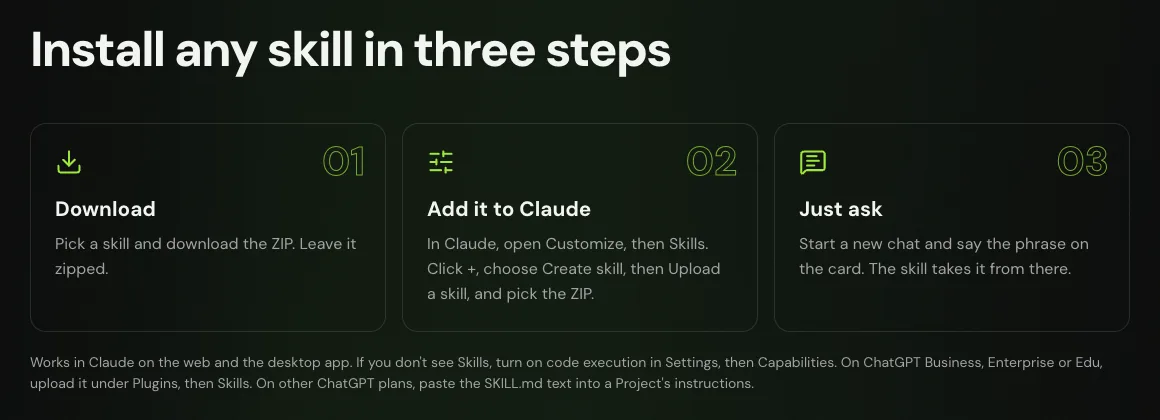
- Download the skill and leave the ZIP file zipped.
- In Claude, open Customize, then Skills. Click +, choose Create skill, then Upload a skill, and pick the ZIP.
- Start a new chat and say the phrase on the skill's card.
- No Skills menu? In Claude, turn on code execution under Settings, then Capabilities.
- On ChatGPT Business, Enterprise or Edu, upload it under Plugins, then Skills. On other ChatGPT plans, paste the text from the SKILL.md file into a Project's instructions (a Project is a saved workspace in ChatGPT).
Each skill is free to keep and written for people who are not tech experts. If you want one built around your own quotes, reports or way of doing things, that can be done too.
Watch the 60-second video and download all four at free AI skills.