Is this task ready for an AI agent?

- AI agents
- Workflow automation
- AI operations
Short answer: A task is ready for AI when you can say what starts it and what it should produce, and a person can check the result. If a mistake could cost money, hurt someone or make a promise, AI drafts and a person approves.
How do I tell if a task is ready?
Ask four questions in order, and stop at the first one that fails.
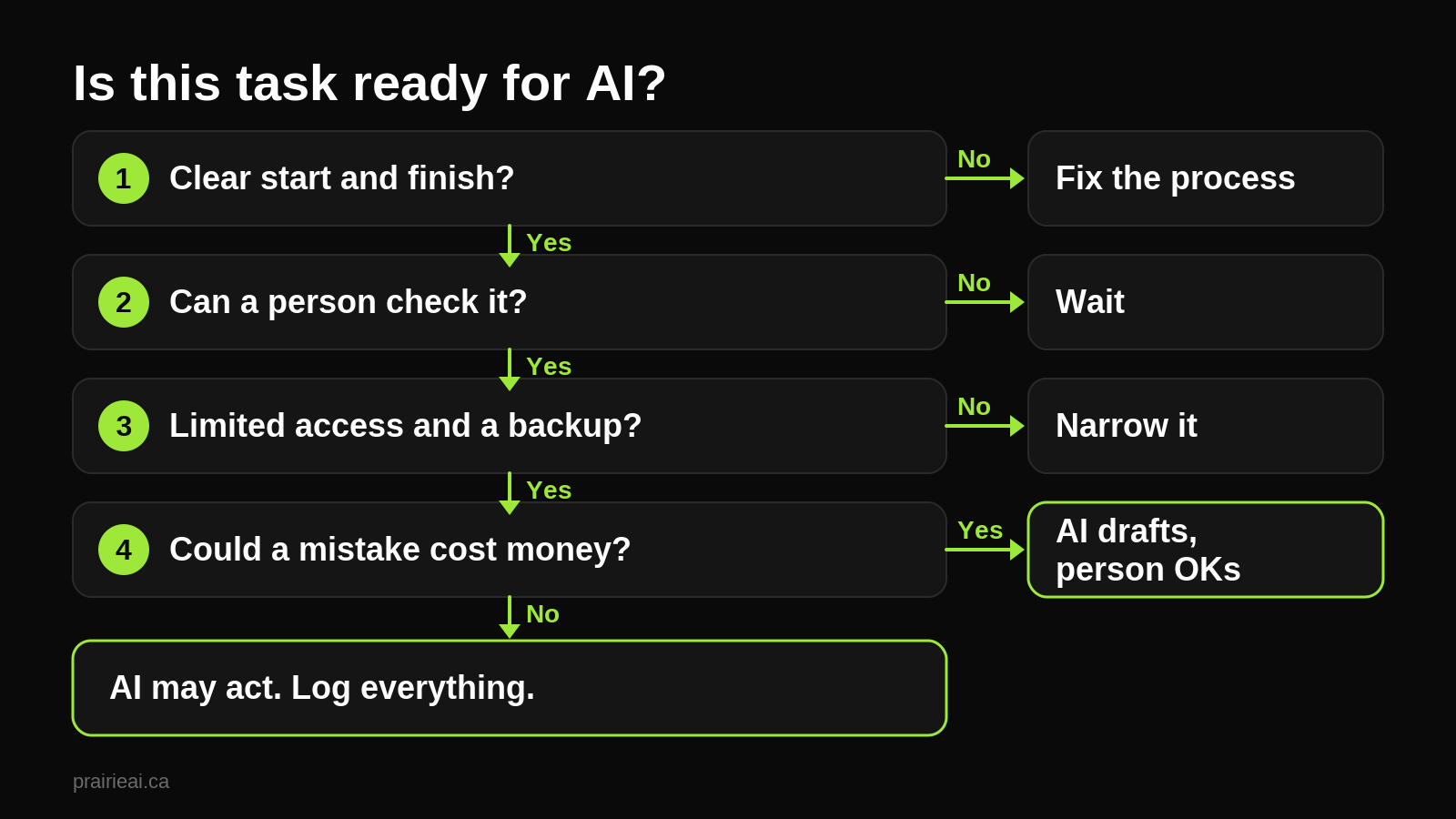
- Clear start and finish? If not, fix the process first.
- Can a person check it? If staff can't tell right from wrong, wait.
- Limited access and a backup plan? It should only see what this job needs, and staff can keep working without it.
- Could a mistake cost money, safety or a promise? If yes, AI drafts and a person approves. If no, it may act, and every action gets logged.
For example: a Saskatoon heating company re-types website inquiries into its dispatch list. AI reads only the form and drafts the note, marking anything that's missing. Anything that mentions gas smell or a billing dispute goes straight to a person. The coordinator checks each note against the form. It is ready to draft notes, not to reply to customers or book jobs.
What about AI that buys or pays?
AI tools are starting to make purchases. Visa now lets agents in ChatGPT complete purchases, with spending limits and required approvals built in. Set the same limits for your business: AI can prepare an order, and a person approves it. Staff confirm substitute items, and refunds and price exceptions stay with a person.
What about cameras and photo checks?
Use the same test. Start by having AI sort the normal photos from the ones that need a closer look, and let staff make the call. For safety or quality disputes, a person always decides. Before buying any cameras, gather 20 to 50 photos of normal work and 10 to 20 of the problem you want to catch. That shows whether your staff even agree on what counts as a problem.

If a task fails one of the four questions and you want help fixing it, see how we work.